The home screen your car's head unit should have come with.
Masar is a launcher for Android head units. Big tiles you can hit without looking, your speed and the next prayer at a glance, live engine data from an OBD dongle, and a way back home from CarPlay.
Free and open source · Android 8 and newer
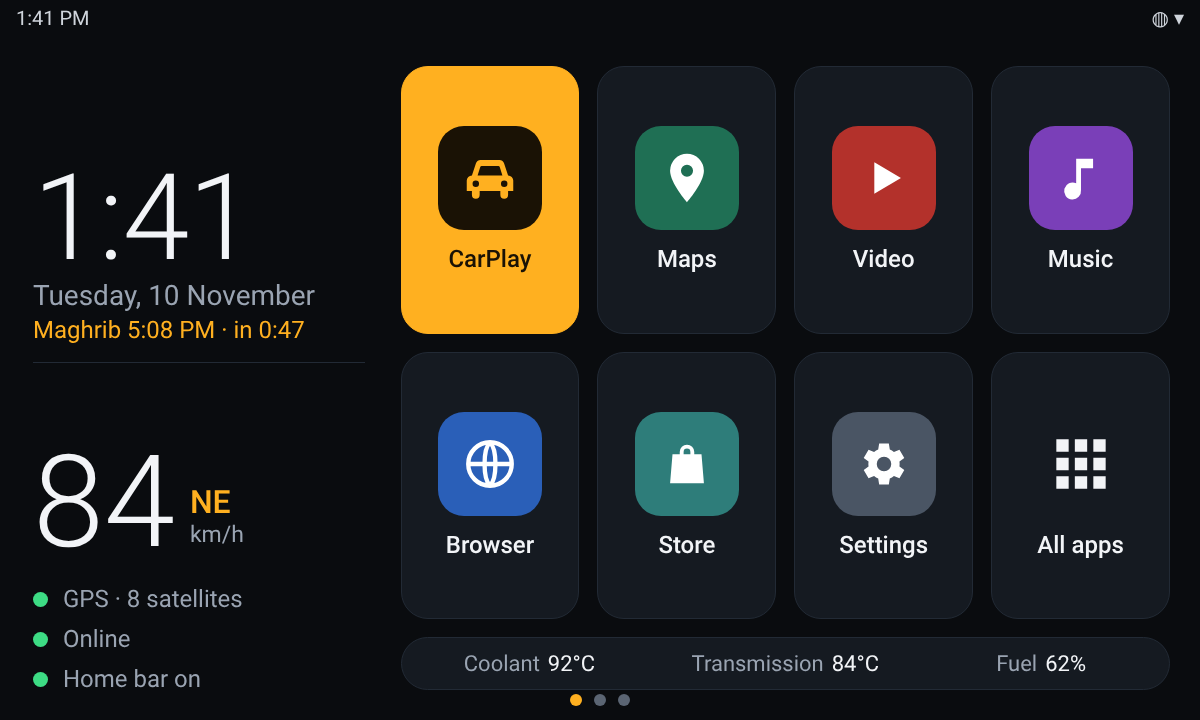
Built for a screen you read at 120 km/h
Everything is sized from the screen itself, so it looks the same on any head unit. No account, no ads, no tracking.
Eight or twelve big tiles
Your apps, with CarPlay as the main one. Long-press a tile to change it. Clock, date, GPS speed and heading on the left.
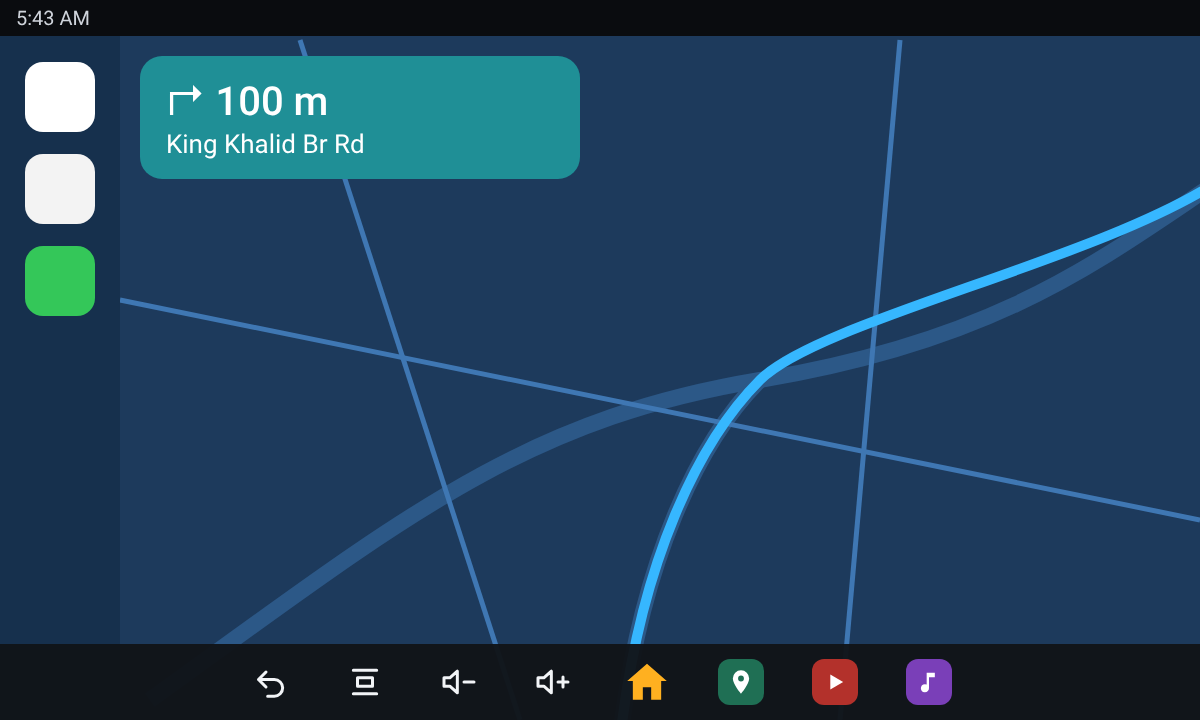
A home bar that appears on touch
Touch the screen in CarPlay or a map and a bar with Home, Back, volume and your apps shows for a few seconds, then gets out of the way.
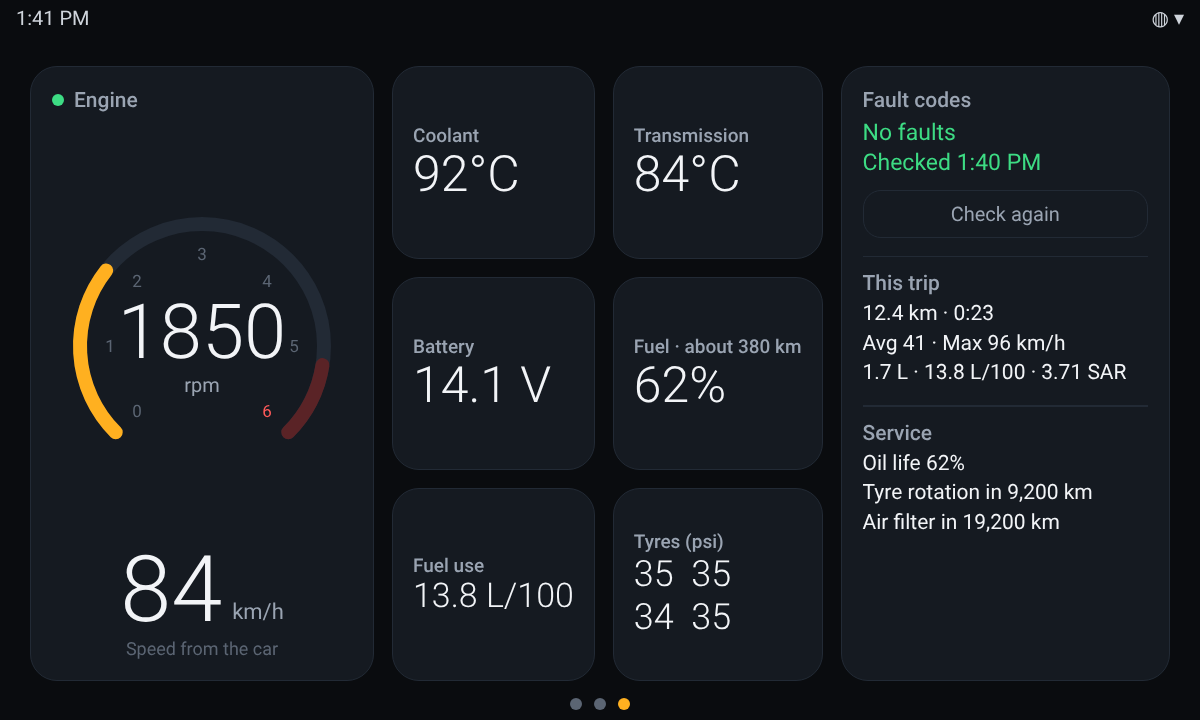
Live engine data
With a Bluetooth OBD dongle: RPM, coolant and transmission temperature, battery, fuel, consumption, and fault codes in plain words.
It tells you, wherever you are
Engine or transmission running hot, charging voltage off, a soft tyre or a new fault code: a red banner on top of whatever is on screen.
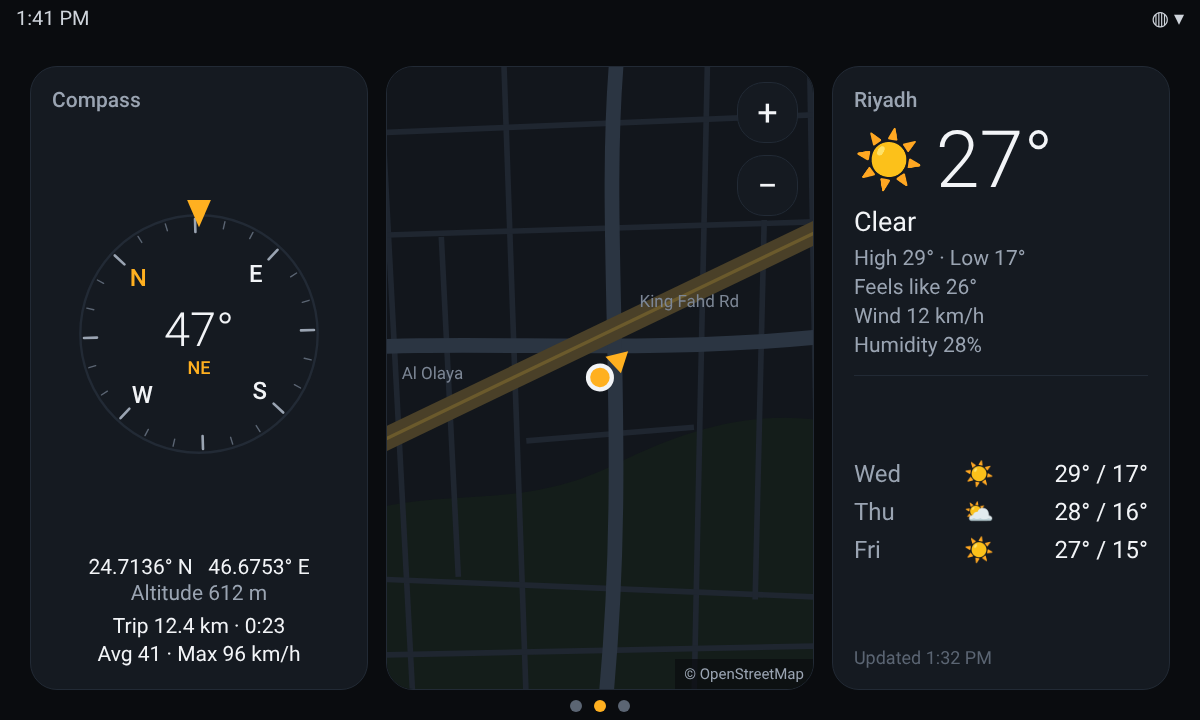
Compass, map and weather
A course-up compass, a small map that follows the car, and a three-day forecast for where you are.
Distance, fuel and cost
Each drive is counted by itself: distance, time, average, fuel burned and what it cost. Past trips are kept, with where each one ended.
Prayer times, offline
The next prayer and the time left, worked out on the unit with the Umm al-Qura method. No internet needed.
العربية, night dimming, colours
English or Arabic, a veil after sunset so the screen doesn't glare, six accent colours and your own background photo.
Three pages, one swipe apart
Drive
What's around you.
- Compass that turns with the car
- Map from OpenStreetMap; tap to open your map app
- Weather from Open-Meteo, with your position rounded before it is sent
- This trip's distance, time and speeds
Car
What the engine is doing, read through a classic-Bluetooth ELM327 dongle in the OBD port.
- Readings the car doesn't report get no tile
- Fuel use live and per trip, range, and cost at your petrol price
- Fault codes with names, and a button to clear them
- Oil life and service reminders
Home bar
Full-screen apps hide the unit's own buttons. Masar gives them back when you ask, and only then.
- Touch anywhere: the bar shows for four seconds
- Home, Back, Recents, volume, and your first three apps
- Or a small pill instead, if you prefer
Warnings
Masar keeps watching the car while CarPlay is in front, and speaks up only when something is past normal.
- One beep when a warning starts
- The banner stays until the value is back to normal
- Speed alert at a limit you choose
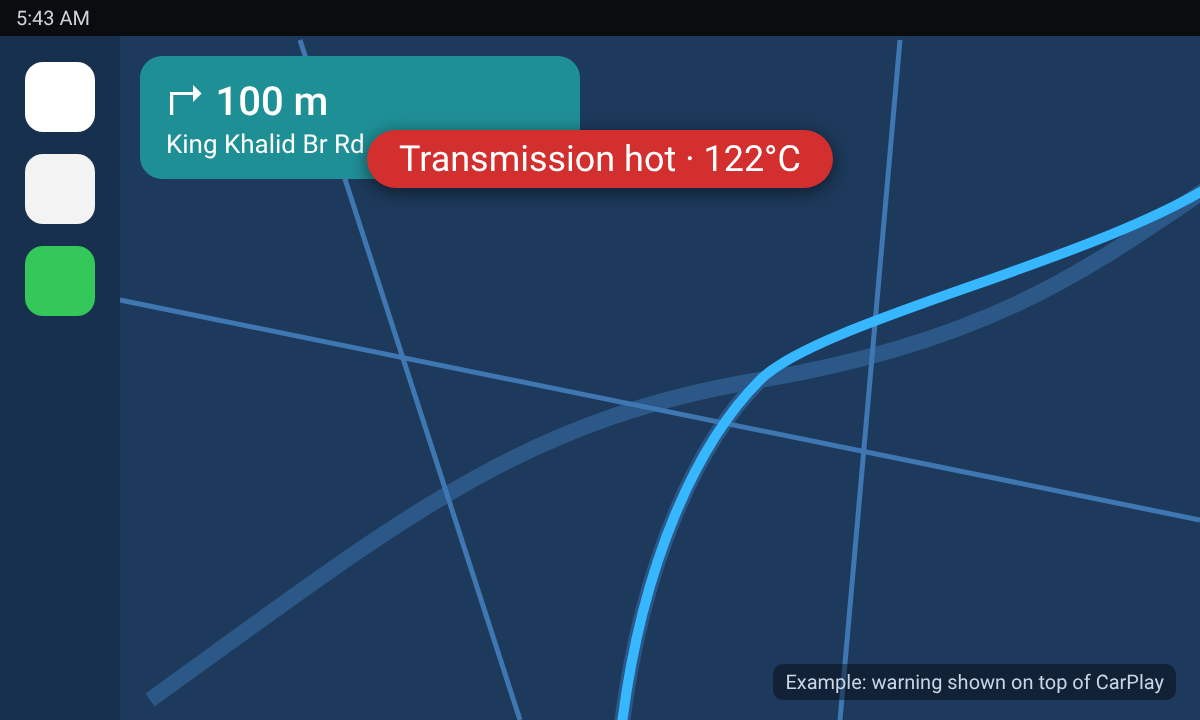
The images are design renders at 1200 × 720 with example numbers. What you see depends on your unit, your car and your dongle.
Install
Masar is a normal Android app. It is not on the Play Store; you install the APK yourself.
- Download masar.apk on the head unit, or copy it over on a USB stick.
- Open it and allow installing from that source when Android asks.
- Press Home and choose Masar, then "Always".
- Allow location when asked, for speed, map and prayer times. For the home bar, allow "Display over other apps".
- Long-press the clock for settings. For engine data, pair an ELM327 Bluetooth dongle in the unit's Bluetooth settings, then swipe to the Car page.
From a computer: adb install -r masar.apk. To leave, pick another launcher under Settings → Apps → Default apps → Home app. Tested on an Android 10 head unit at 1200 × 720; other units should work but have not been tried.